


Understanding the Program Home Page
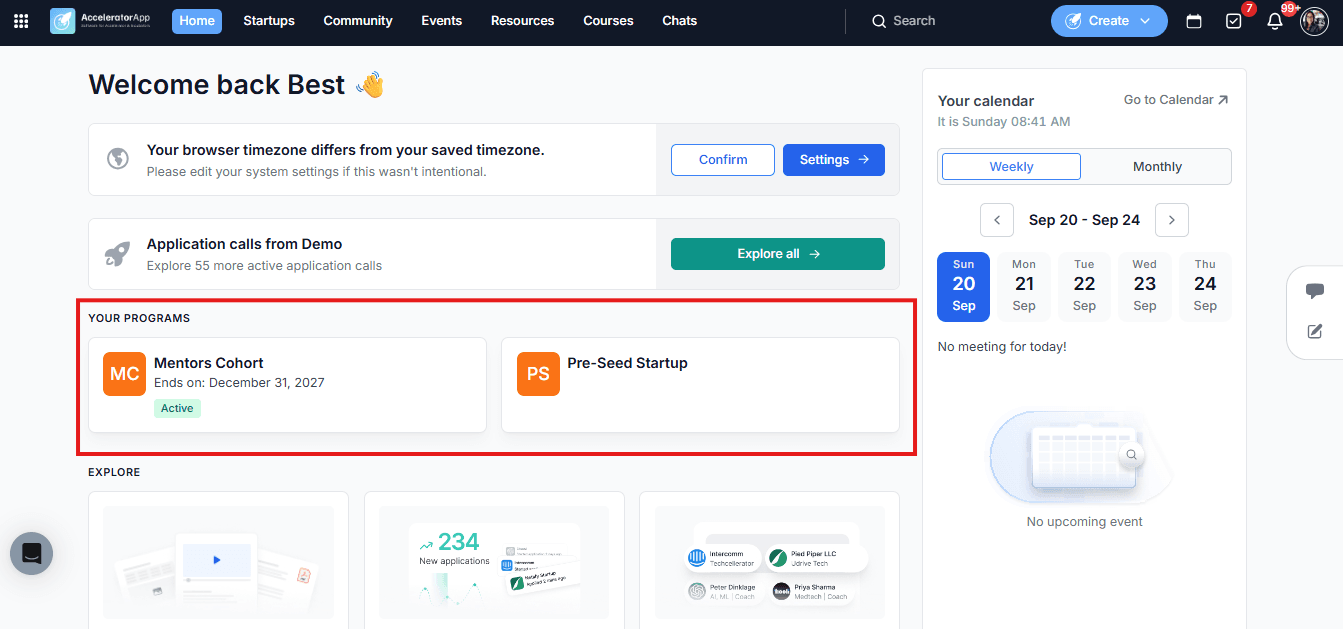
The Program Home Page gives you a dedicated space for each program you are enrolled in as a participant. This is distinct from the programs you mentor within — the cards shown here represent programs where you have been added as a member, not as a mentor.
Where to Find the Program Home Page
Click on Home in the top navigation menu. You will see cards representing each program you are part of as a participant. Click on a program card to open its Home Page.
What You Will Find on the Program Home Page
Timeline
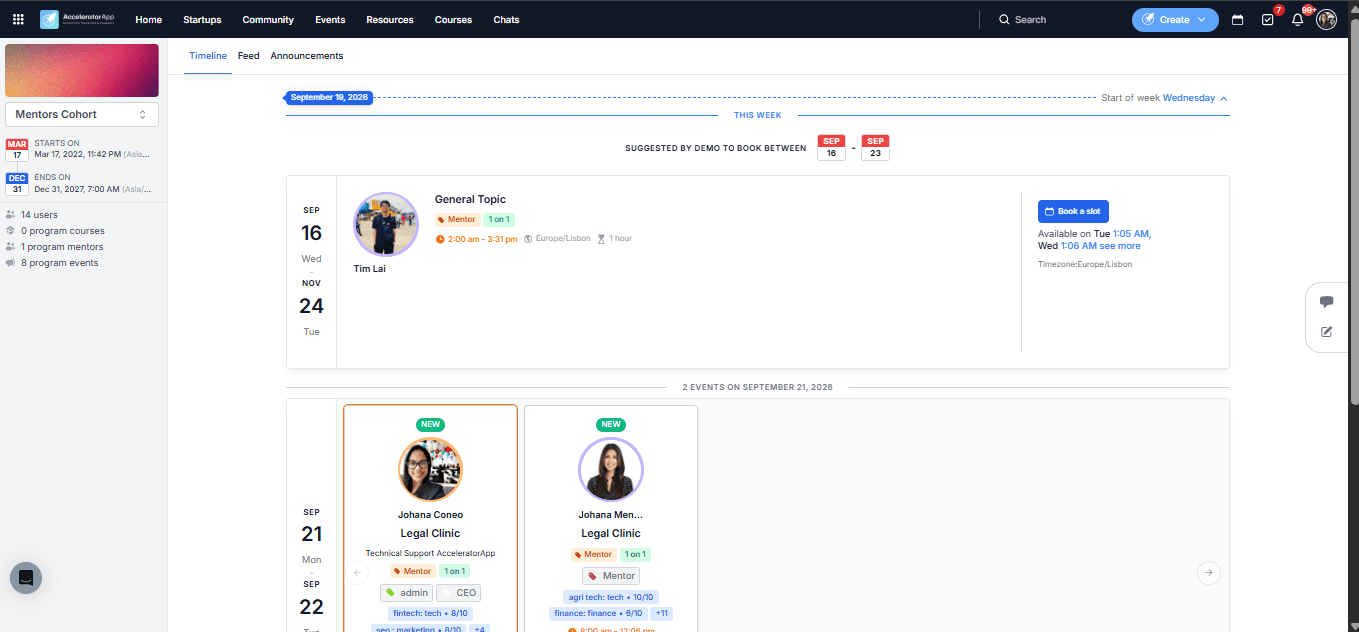
This section shows upcoming events and coaching sessions tied to this specific program — including public events visible to the broader community and events specifically scoped to this program. It also shows coaching sessions you have scheduled with participants of this program, giving you a convenient overview of your upcoming commitments in one place.
Feed
The Social Feed is a shared space for everyone in the program to post updates, share insights, and engage in discussions.
As a mentor, you can:
- Create posts — share articles, links, text updates, or files with the program community.
- React to posts — use emoji reactions to engage with content quickly.
- Reply and comment — join discussions and tag other members using @mentions to send them a notification.
Announcements
Announcements are created by program administrators to share important updates with the entire program community. As a mentor, you can view announcements but cannot create them.
Best Practices
- Use the Feed to stay visible in the program community. Sharing relevant content or engaging with posts is a low-effort way to add value.
- Check the Events and Coaching Sessions section before each week. It gives you a quick view of what is coming up within the context of this specific program — useful for planning and preparation.
- Check Announcements regularly. Program administrators use this section for important updates — staying on top of it ensures you do not miss key program changes or deadlines.